
Bose Connect
Bose CorporationMusic & Audio
4.223.01K Reviews
- Version
- Varies With Device
- Installs
- 10.00M
- Age Rating
- Everyone
Screenshots
Our Review of Bose Connect
 Analysis by Appyee
I spent time with Bose Connect as a companion app for Bose Bluetooth audio products, and my overall impression is that it is most useful when you already own compatible Bose hardware and want an easier way to manage it. It is a free music and audio app from Bose Corporation, aimed at helping listeners get more from their headphones and speakers rather than replacing a music streaming service or acting as a general Bluetooth manager.
That distinction matters. If you are shopping for an app that plays music by itself, organizes a local library, or controls a wide range of brands, this is not the right tool. If you use Bose equipment and find phone settings too awkward for switching connections or checking what your device can do, the app has a much clearer purpose. I found it best understood as a control layer between the listener and the Bose product.
The app has been available since December 11, 2015, and its long presence is reflected in its reach: it has passed ten million installs. It is rated for Everyone, which makes it approachable for a broad audience, while its average rating sits at 4.2 from around 266 thousand ratings. Those figures suggest a generally positive experience, but they also leave room for the practical frustrations that often appear when an app depends on a separate Bluetooth device.
How clearly the app supports different listeners
I find the app’s usefulness depends less on how often someone listens and more on whether its focused controls make their usual Bose routine easier. In this section, I’ll look at how different listeners might approach that routine, including people who share equipment or prefer phone controls, before considering what helps the app remain worthwhile after the initial setup.
Readability and navigation in everyday use
My first impression of Bose Connect is that its value comes from reducing the number of steps needed to reach device controls. Instead of repeatedly opening the phone’s Bluetooth menu and trying to remember which Bose product is active, I can use the companion app as a more focused place to see and manage the connection. That is particularly helpful when several audio devices have been used with the same phone.
The interface is easier to understand when I approach it with one question: “What do I need to do with my Bose product right now?” Connecting, moving between compatible devices, and reaching product-related controls feel more natural in a dedicated companion app than in the broader system settings. For someone who is not comfortable navigating Android or iOS menus, that narrower purpose can make the experience less intimidating.
Still, a companion app is not automatically simple for everyone. The user must understand the difference between the phone’s Bluetooth connection and the app’s view of the Bose product. If the device is switched off, out of range, already connected elsewhere, or not recognized immediately, the next step may not be obvious. I would not describe Bose Connect as a universal troubleshooting guide; it is more useful once the basic Bluetooth relationship is already working.
Text and controls are most helpful when the user can comfortably read a conventional phone interface and identify familiar audio terminology. For people with reduced vision, the practical question is not only whether the words are readable, but whether the phone’s own display and accessibility tools make those words and controls usable. I would test the app with the device’s preferred text-size, contrast, magnification, and screen-reader settings before relying on it for daily use.
One useful habit is to set up the app in a quiet place before taking the headphones or speaker outside. I can confirm the correct product, learn where the connection controls are, and avoid trying to solve pairing confusion in a noisy room or while traveling. That preparation is more valuable than it sounds because audio apps are often opened at exactly the moment when attention is limited.
Motor and sensory considerations
For people with limited dexterity, Bose Connect can reduce the need to perform small, repeated actions on the physical product. Depending on the Bose device being managed, using the phone as the control point may be easier than locating tiny buttons, remembering button combinations, or holding a control for a particular length of time. This is one of the strongest reasons I would recommend trying the app alongside compatible Bose hardware.
The benefit is not absolute. The user still needs to unlock the phone, open the app, select the correct product, and respond to whatever Bluetooth state appears. Those actions may be easier than manipulating a small headset, but they are not effortless. Someone with tremors, limited reach, or difficulty with precise taps should pay attention to whether the app’s controls can be reached comfortably with their usual phone settings.
There is also a sensory side to consider. A person who is sensitive to loud or sudden sound should complete setup with the Bose product at a low, comfortable volume. The app manages a listening device, so the safest workflow is to connect first, then raise volume gradually. I would not use an unfamiliar Bose product at a high level simply because the connection screen appears ready.
For users who rely on visual information, the app’s greatest strength is concentration: it brings Bose-related actions into one place instead of scattering them across Bluetooth settings, product buttons, and audio controls. Its weakness is that the app cannot remove every visual dependency created by the phone operating system. If labels, icons, or connection states are difficult to distinguish, the experience may still require assistance during setup.
People who are deaf or hard of hearing may have little reason to use the app for listening itself, but the companion functions can still matter when managing a Bose product for another person, checking a connection, or preparing a speaker in a shared environment. The app should be judged by the control it provides, not only by whether the user personally listens through the connected hardware.
Access in real situations
A realistic example is a person who uses Bose headphones during a commute and a Bose speaker at home. The headphones may be the priority in the morning, while the speaker becomes useful later. Rather than treating each product as an isolated Bluetooth pairing, the app can serve as a single Bose-focused starting point for moving between the devices. I find that workflow more manageable than searching through a long list of unrelated Bluetooth accessories.
Another situation is shared use. A family member may need help connecting a Bose speaker, but may not be comfortable navigating the phone’s Bluetooth settings. I can do the initial setup through the app, identify the intended product, and leave the person with a simpler routine for later use. This does not make the process fully independent for everyone, but it can reduce the amount of technical explanation required.
Travel reveals both the convenience and the limits. In a hotel, waiting room, or borrowed space, a dedicated control app can be easier than remembering the product’s physical controls. At the same time, crowded Bluetooth environments introduce uncertainty. If several devices are nearby or the Bose product has recently been used with another phone, the user may need patience before the intended connection becomes clear.
For users with attention-related difficulties, a consistent setup routine helps. I would keep the same order each time: turn on the Bose product, open Bose Connect, check that the intended device is shown, and only then begin playback. Repeating that sequence avoids the common mistake of opening several settings screens at once and losing track of which device is actually active.
For users who depend on another person for technical setup, the app can make remote guidance easier because both people can refer to a Bose-specific screen rather than a phone manufacturer’s general settings. However, the helper still needs to know which Bose product is being connected and whether another phone may already be using it. The app simplifies the conversation; it does not eliminate the need to identify the hardware correctly.
What Bose Connect does better than ordinary alternatives
The usual alternative is the phone’s built-in Bluetooth panel. That option is broader and works across many brands, so it is the better choice if your audio equipment comes from different manufacturers. It also avoids installing a separate companion app. For a person who owns one Bose product and only connects it occasionally, the system settings may be enough.
Bose Connect becomes more attractive when the user wants a Bose-centered workflow. The app is not trying to be a full music library, a streaming platform, or a replacement for the phone’s audio system. Its narrower focus is useful because it keeps product management separate from music discovery. I prefer that separation: I can use my usual music app for playback while using Bose Connect for the Bose-specific side of the experience.
That focus also creates a trade-off. A general Bluetooth manager is more flexible across brands, while Bose Connect is more relevant only when Bose hardware is involved. Installing it for non-Bose equipment makes little sense. Even among Bose owners, the benefit depends on whether the particular product works with the app, so checking compatibility before building a routine around it is sensible.
Small workflows that make a real difference
One non-obvious advantage is using the app as a preparation tool rather than opening it only when something goes wrong. Before leaving home, I would connect the intended Bose product and confirm that it appears correctly. That turns a stressful public setup into a quick listening step. It is especially useful for anyone who finds unexpected connection changes difficult to manage.
A second practical tip is to avoid changing several variables at once. If the connection is not behaving as expected, I would first check whether the correct Bose product is powered on and nearby, then look at the app, and only afterward revisit the phone’s Bluetooth settings. Jumping between multiple menus can make it harder to tell whether the issue comes from the app, the phone, or the audio product.
A third insight concerns shared households. If several people use Bose equipment, giving each product a clear place and a consistent name in the household can reduce mistaken connections. The app is more useful when the user can quickly recognize the intended hardware. This is a simple organizational step, but it matters for people who struggle with similar-looking devices or crowded lists.
A fourth is to treat the app as part of an accessibility routine, not as the entire solution. Pair it with the phone’s own accessibility settings, a low starting volume, and a predictable physical location for the Bose product. That combination can be more effective than expecting one app to solve reading, motor, hearing, and attention barriers by itself.
Remaining barriers and reasons to skip it
The biggest limitation is dependence on compatible Bose hardware. Without that hardware, the app has no meaningful role. Even with a Bose product, the experience may feel unnecessary if you are already comfortable with the phone’s Bluetooth controls and rarely switch between devices.
Connection friction is another concern. Bluetooth audio depends on the product being available, the phone recognizing it, and the right device being selected. Bose Connect can provide a more focused route, but it cannot make every connection instant or prevent confusion when another phone has recently been used. Users who need guaranteed simplicity in every environment should test their own product and phone together before depending on the app.
The app is also not a substitute for a music service. I would not install it expecting playlists, radio stations, music discovery, or a large playback library. Those needs belong to other apps. Bose Connect is most convincing when the user sees it as a companion for hardware management, not as the main destination for listening.
People who avoid manufacturer-specific apps may prefer the built-in Bluetooth panel. That choice is reasonable, especially for users who want fewer apps or who regularly move between brands. Bose Connect earns its place when its focused controls are genuinely easier than the alternatives, not simply because it carries the Bose name.
Privacy-conscious users may also prefer to keep their setup as minimal as possible. I would review the app’s current permissions and phone behavior during installation rather than assuming every companion app is identical. That is not a criticism unique to Bose Connect; it is a sensible step whenever an app is added to manage connected hardware.
My inclusive verdict
I see Bose Connect as a useful, specialized companion for Bose Bluetooth products, particularly for people who want a clearer path to connection and device management than the phone’s general settings provide. Its strongest accessibility contribution is practical rather than dramatic: it can move some tasks away from small physical controls and place them in a familiar phone interface.
That benefit will vary widely. A user with limited dexterity may appreciate phone-based control, while someone with low vision may need to confirm that the app works comfortably with their preferred display and screen-reader settings. A person with sensory sensitivities should set up at low volume and in a calm environment. Someone who uses several audio brands may find the app too narrow.
The application is free, carries an Everyone age rating, and has built a substantial audience, with more than twenty-three thousand written reviews alongside its broader rating total. I take that popularity as evidence that it solves a real problem for many Bose owners, not as a reason to overlook the setup friction that some users may encounter.
My recommendation is simple: install it when you own compatible Bose audio hardware and want a dedicated, repeatable control routine. I would skip it if you only need occasional Bluetooth pairing, use mostly non-Bose equipment, or expect a complete music player. For the right listener, the app makes Bose devices easier to approach; for everyone else, the phone’s built-in controls may be the less complicated answer.
After using it, I would keep Bose Connect available for setup, switching, and hardware-focused tasks, while continuing to use a separate music app for actual listening. That division of labor is where it makes the most sense. It does not remove every barrier, but it can make the relationship between a Bose product and a phone more understandable, especially when a predictable routine matters.
Verdict
Strengths of Bose Connect
- Simple pairing and switching between compatible Bose devices.
- Lets you adjust speaker volume and playback from one place.
- Useful battery and connection status information at a glance.
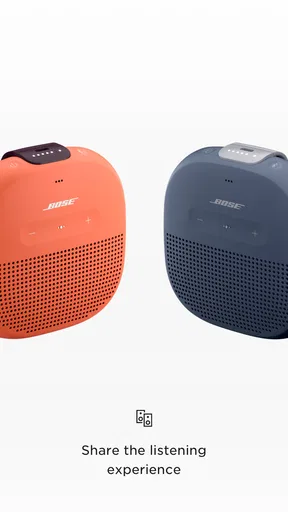
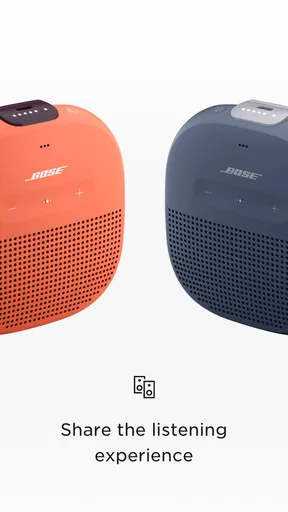
- Supports Party Mode and Stereo Mode on compatible speakers.
- Clean interface with quick access to key speaker controls.
Limitations of Bose Connect
- Only works with selected Bose speakers and headphones.
- Some newer Bose products require the Bose Music app instead.
- Bluetooth range and stability still depend on your surroundings.
- Limited equalizer and sound customization options on some models.
- Background use may consume extra battery on your phone.
Other Releases by Bose Corporation
View All
Bose
Music & Audio3.4

Bose QC Earbuds
Music & Audio4.7
Similar Picks in This Category
View All
YouTube Music
Google LLC4.4

Samsung Music
Samsung Electronics Co., Ltd.3.8

Spotify: Music and Podcasts
Spotify AB4.3

JioSaavn - Music & Podcasts
Saavn Media Limited4.3

Lark Player:Music Player & MP3
Lark Player Studio - Music, MP3 & Video Player4.6

StarMaker: Sing Karaoke Songs
SKYWORK AI PTE. LTD.4.3
Frequently Asked Questions
What is Bose Connect used for?
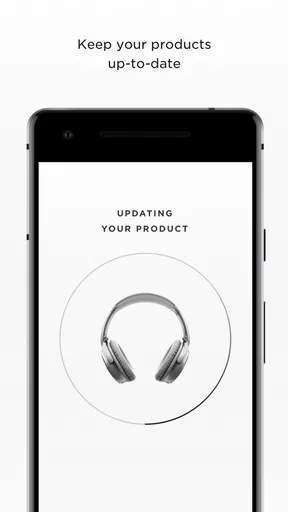
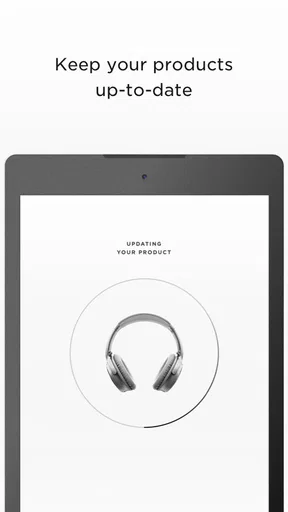
Bose Connect is the companion app for compatible Bose Bluetooth headphones, earbuds, and portable speakers. After installing it, you can connect supported products, check battery levels, adjust selected settings, manage device connections, install firmware updates, and access product guidance. It is mainly designed to make Bose hardware easier to configure and use, rather than functioning as a standalone music-streaming app.
Which Bose products are compatible with Bose Connect?
Compatibility depends on the specific Bose model and the version of the app available for your device. Many older and selected current Bose Bluetooth headphones and speakers work with Bose Connect, while some newer products use the Bose app instead. Before downloading, check your product’s manual, packaging, or Bose’s official compatibility information to confirm that your headphones or speaker are supported.
Can Bose Connect play music or replace a streaming service?
No. Bose Connect does not replace services such as Spotify, Apple Music, YouTube Music, or other audio players. Its purpose is to control and manage compatible Bose hardware. You normally start playback in your preferred music, podcast, or video app, while Bose Connect provides access to supported controls and connection features. Music playback may also continue when you leave the app.
Does Bose Connect require an internet connection or a Bose account?
The app primarily communicates with your Bose device through Bluetooth, so an internet connection is not always required for basic controls after pairing. However, internet access may be needed for downloading the app, checking for firmware updates, viewing support content, or completing certain setup steps. Account requirements can vary by product and feature, so some functions may be available without signing in.
Why is my Bose device not appearing in Bose Connect?
If your product does not appear, first make sure it is powered on, sufficiently charged, and within Bluetooth range. Confirm that Bluetooth is enabled on your phone and that the Bose device is not actively connected to another phone or tablet. Closing and reopening the app, restarting Bluetooth, restarting the device, or clearing previous Bluetooth pairings can also help. Finally, verify that your model uses Bose Connect rather than the newer Bose app.
